Background
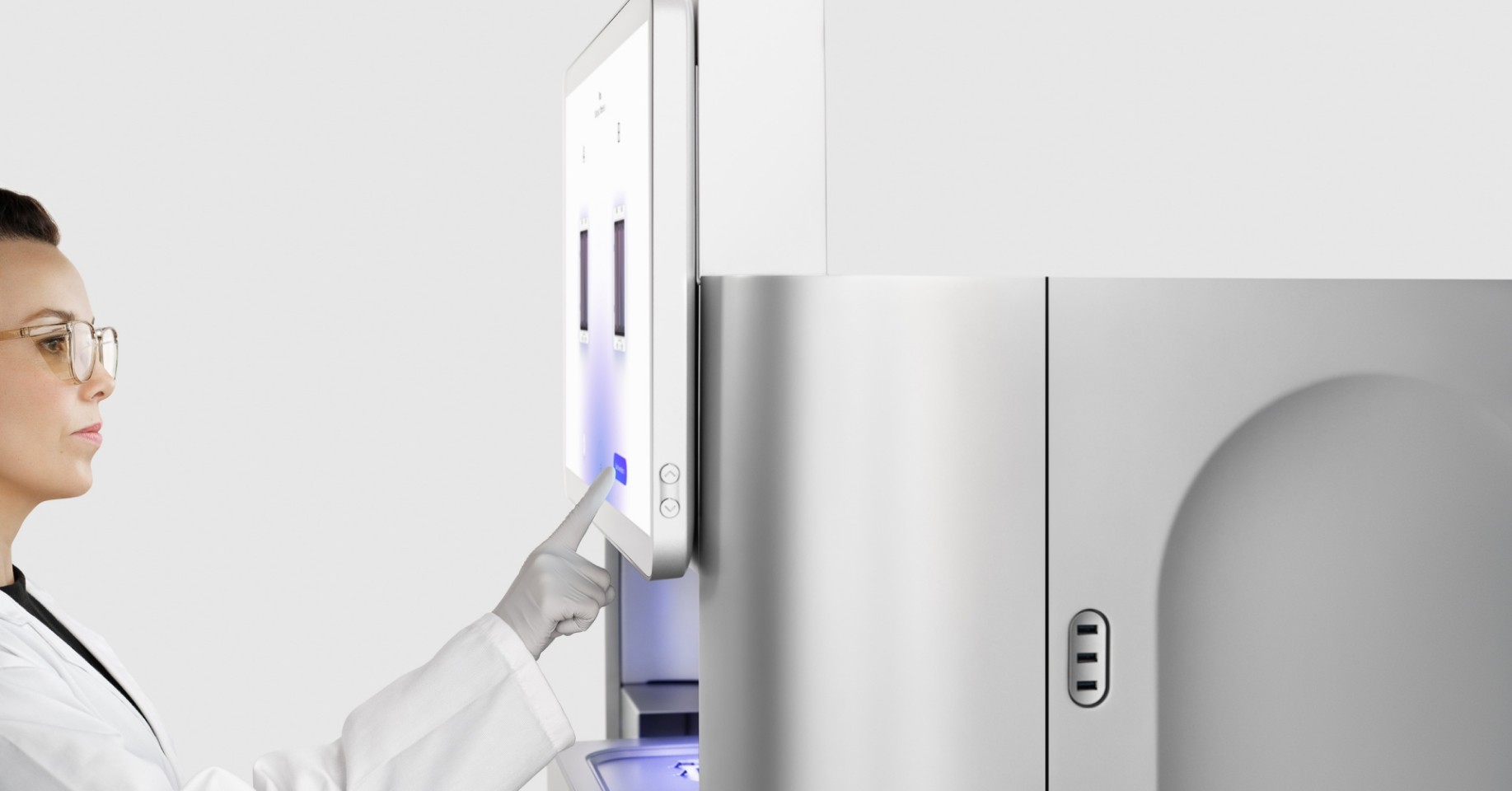
The NovaSeq X instrument contains a LED touch display for user interaction as well as an extendable and retractable keyboard tray for additional input methods.
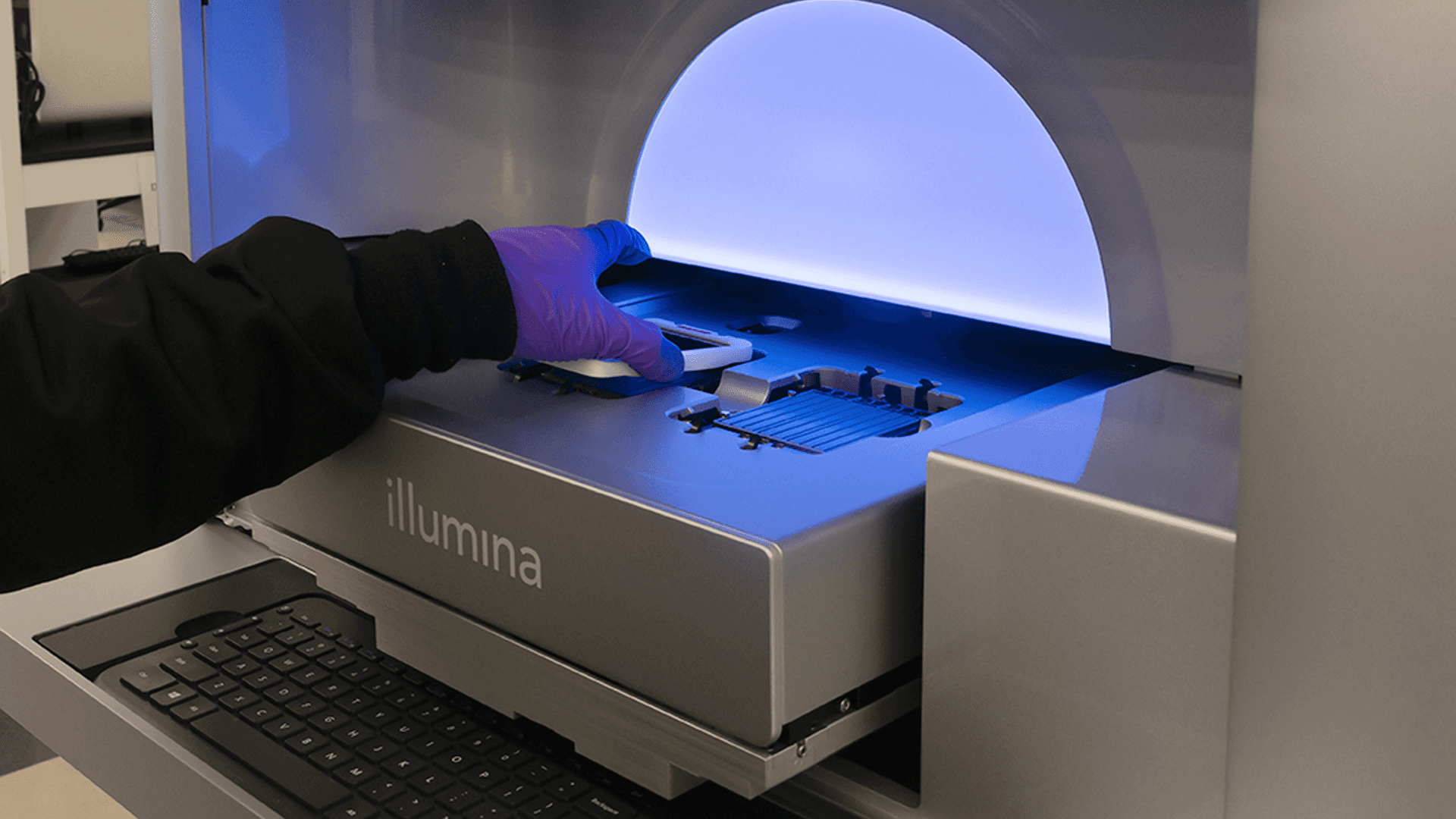
The keyboard tray uses a push-push mechanism, where the user would push to eject the keyboard tray and push again to retract it, similar to modern concealed doors.
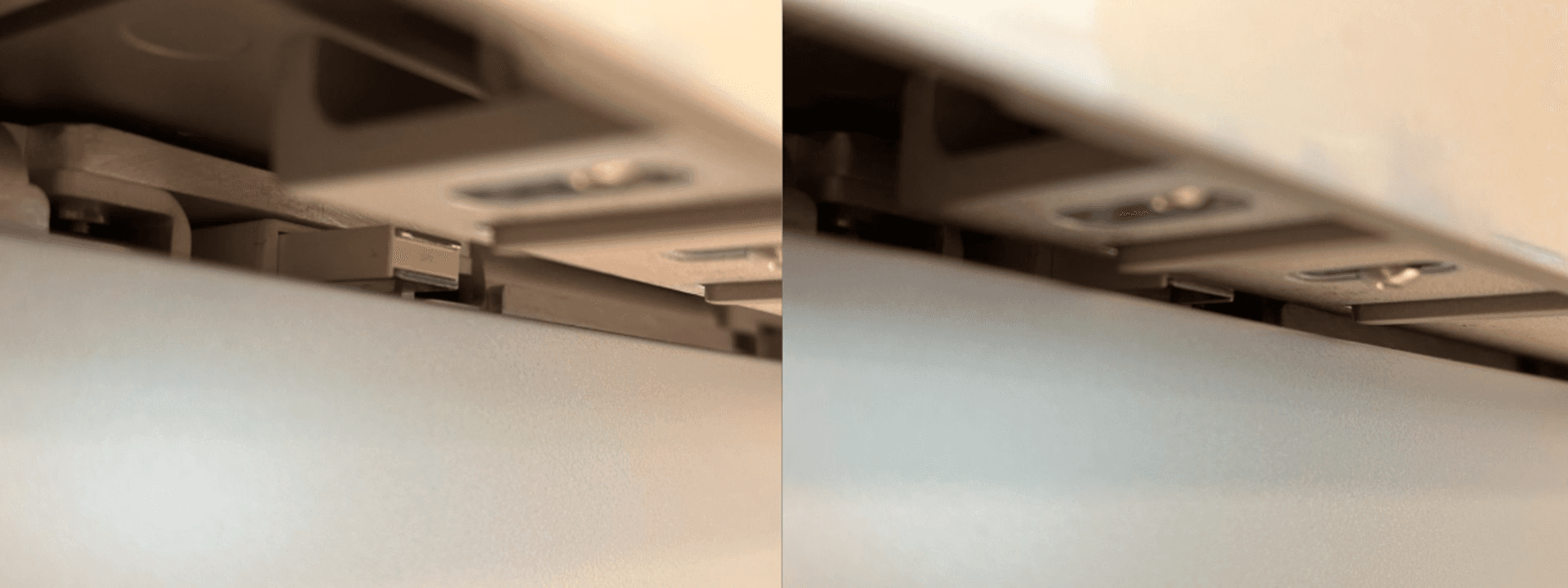
Example of magnetic push-push mechanism used in concealed doors
Problem Statement
The previous mechanism presented reliability issues because users were unable to consistently eject or retract the keyboard tray after pushing. This created a lot of frustration as the keyboard tray is an element of the instrument that the customer would interact with on a daily basis, which has negatively impacted the user experience and perceived quality of the product.
The issue was so widespread that a dedicated troubleshooting guide was released to help customers resolve it.
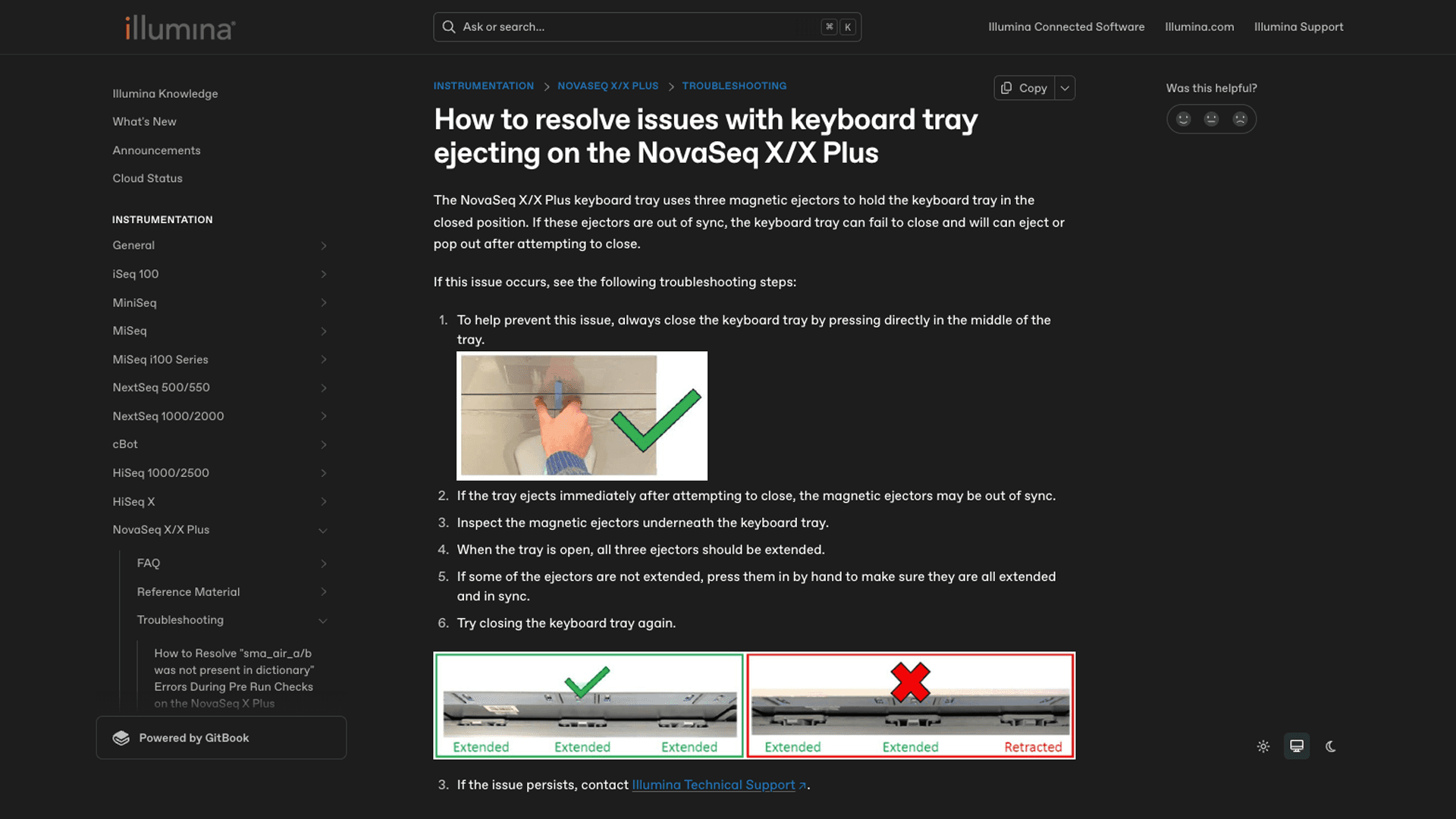
Thus, the goal of this project was to identify the root cause of this issue and redesign the mechanism to enhance the user experience.
Root Cause
The instrument contained 3 push mechanisms that interacted with a sheet metal mounting bracket underneath the keyboard tray.
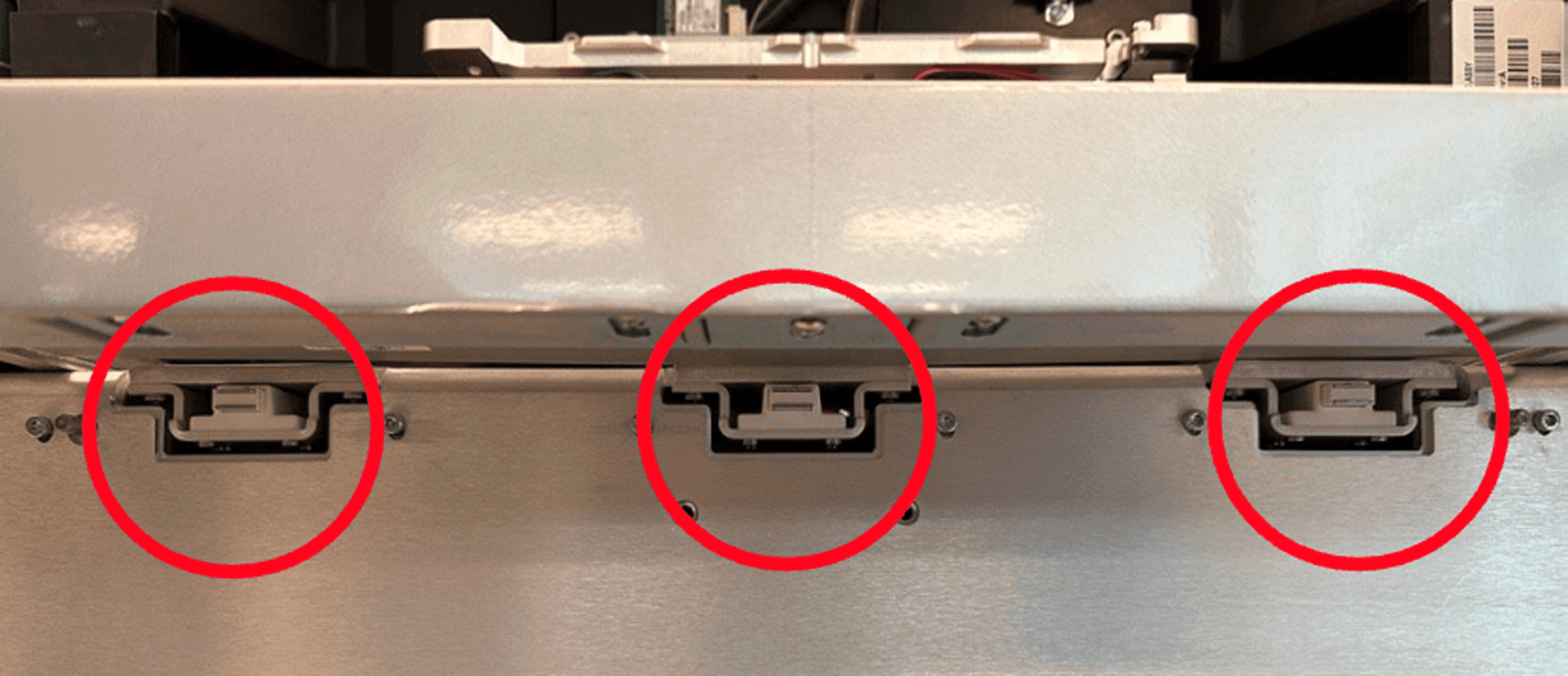
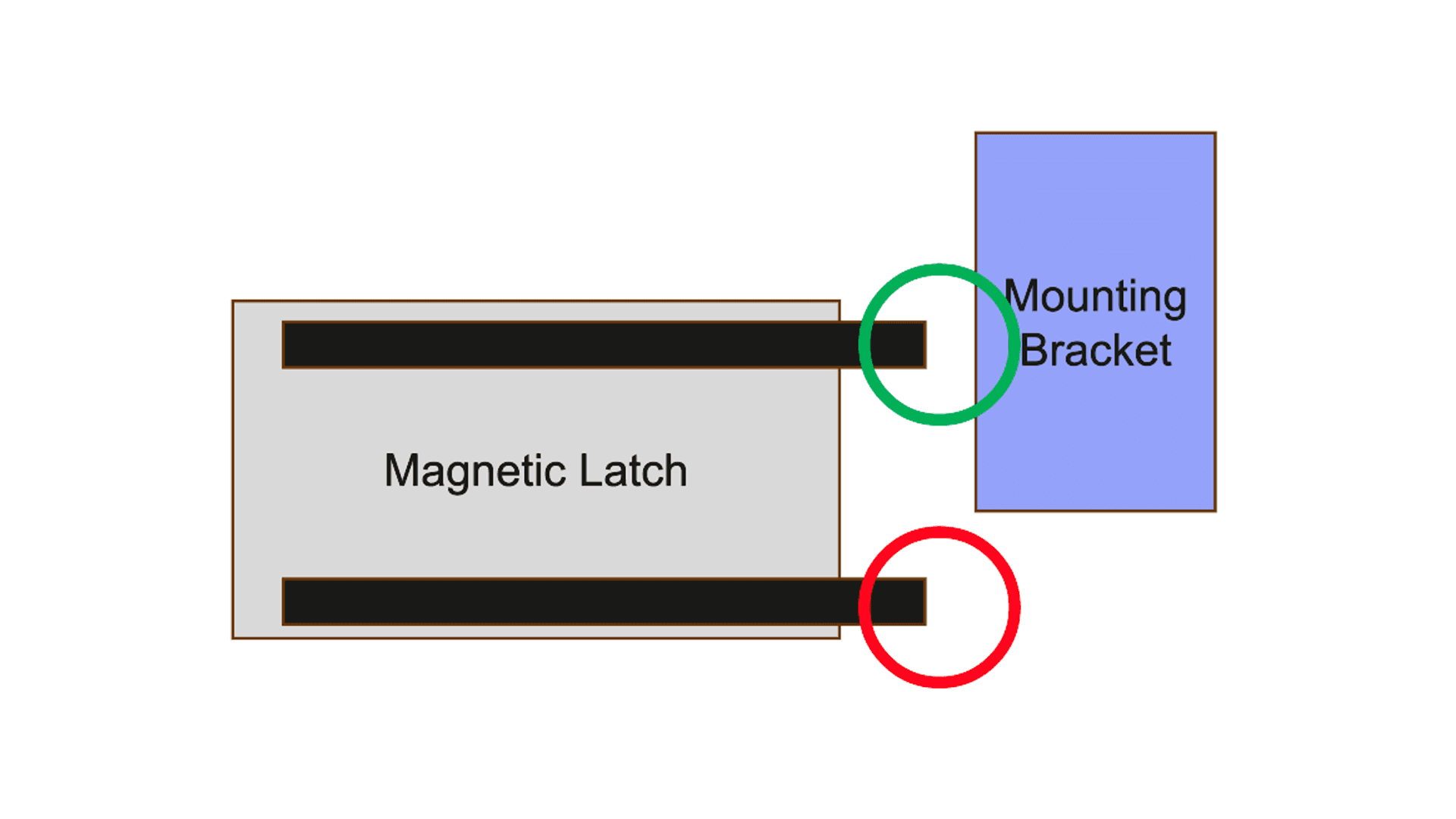
Magnet Contact Area
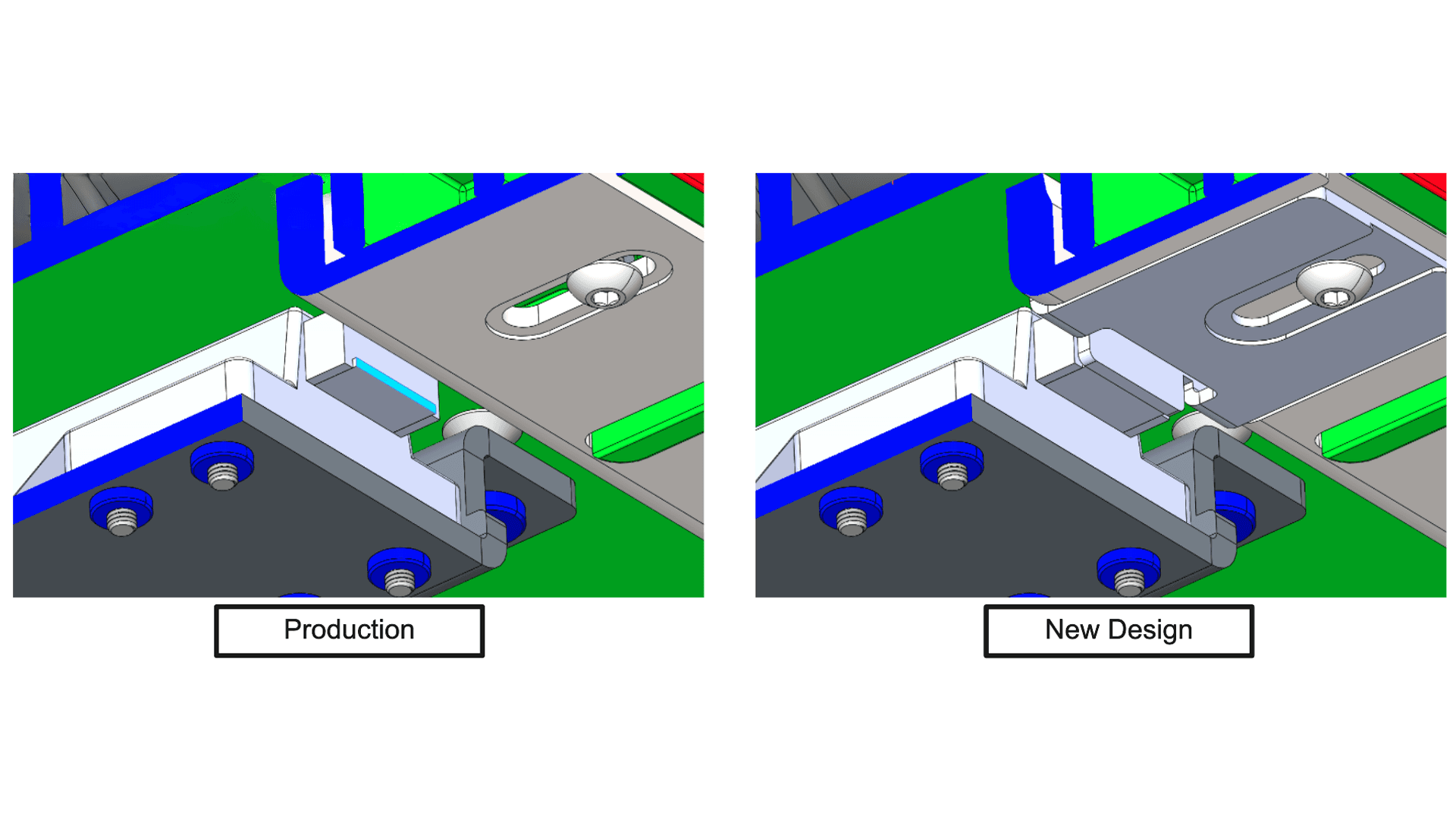
The previous design had insufficient contact area between the push mechanisms and the mounting bracket, resulting in the inability of the push mechanism to properly keep the keyboard tray retracted.
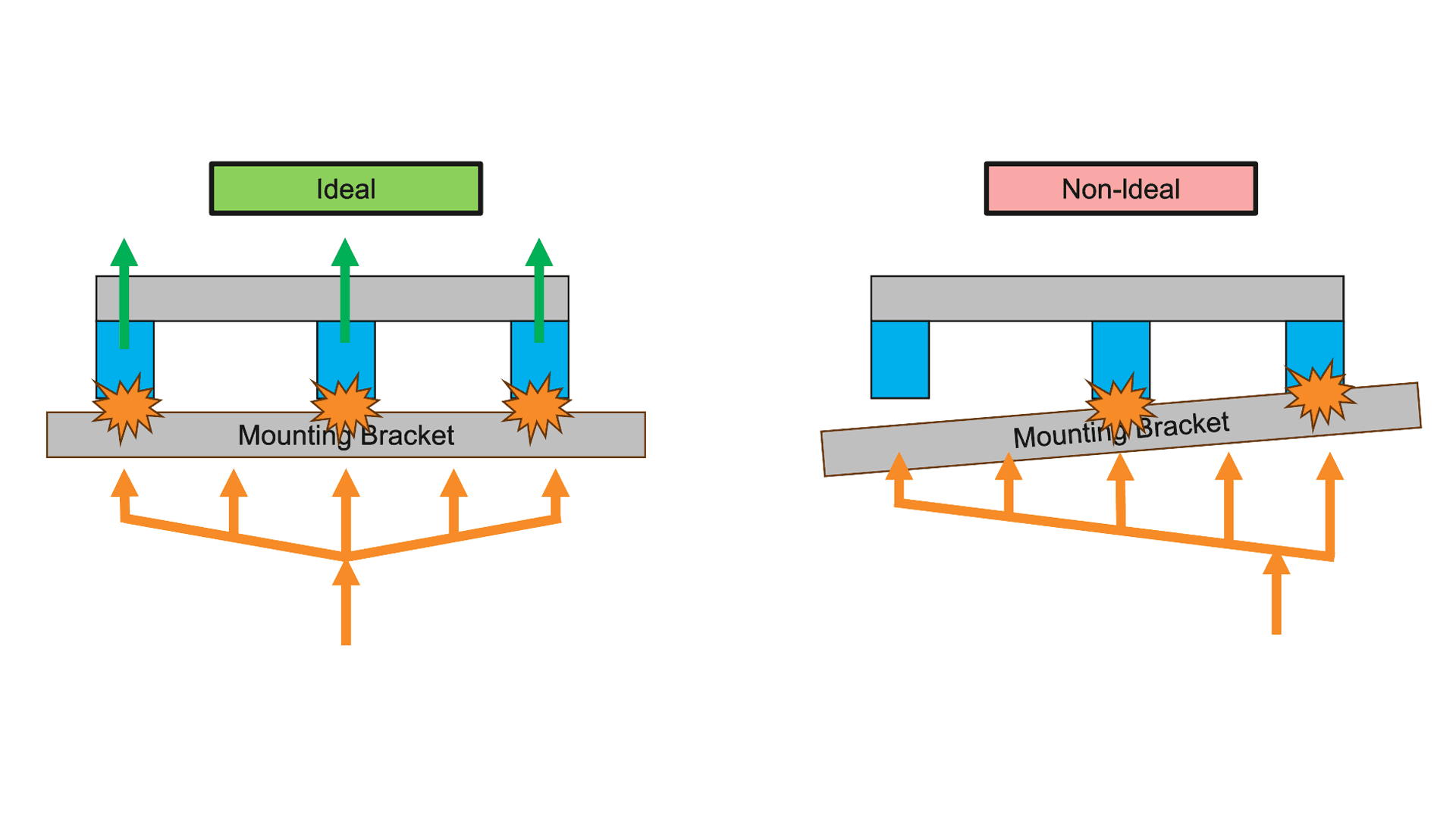
Out of Sync Push Mechanism
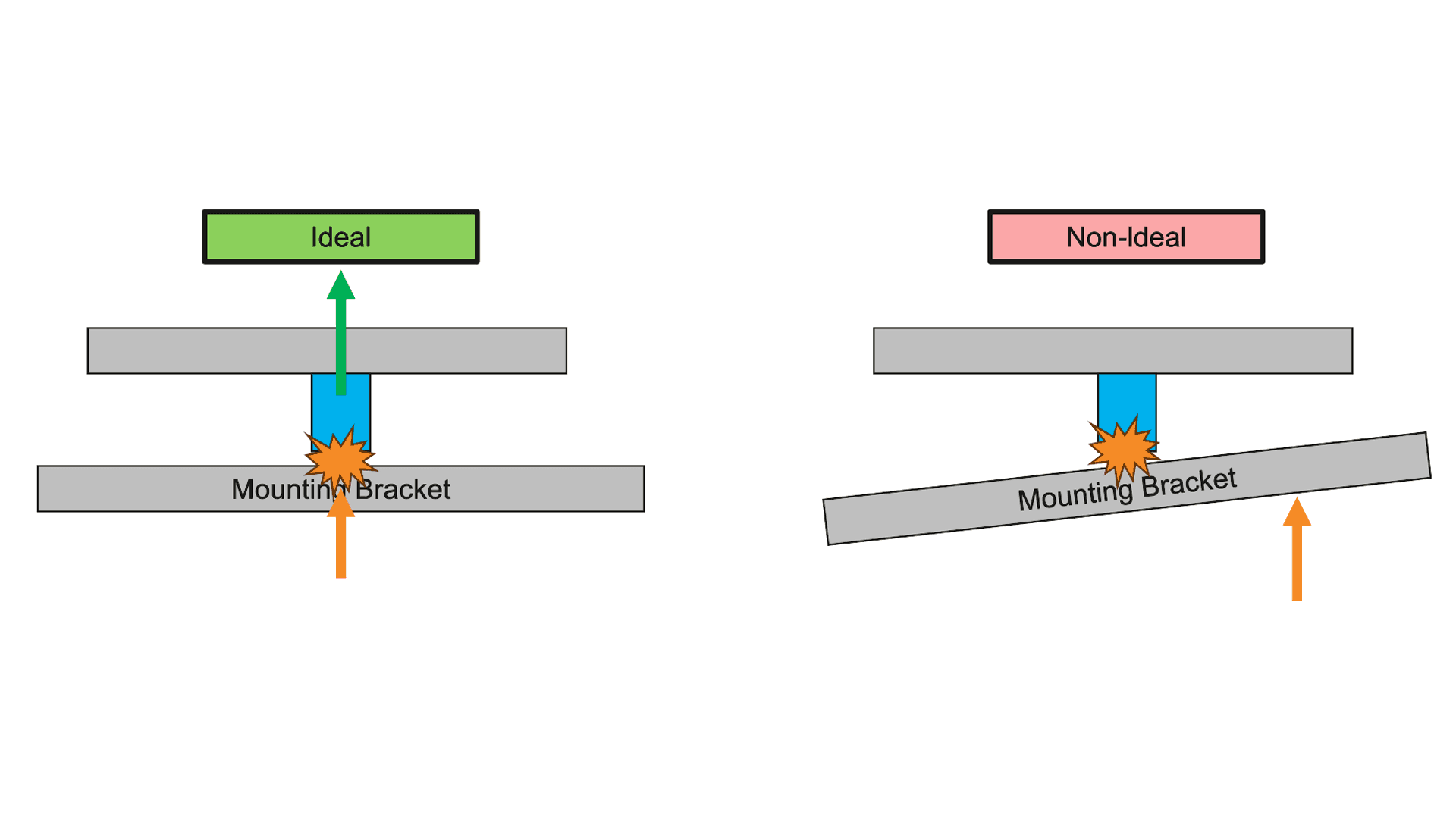
The intended design assumes ideal tolerances across all the push mechanisms, which will allow the mounting bracket to make even contact with each of them when pushed. However the mixture of the push mechanism stroke length, activation force and mounting bracket position variance causes an uneven force distribution, resulting in scenarios where only several push mechanisms are activated at once.
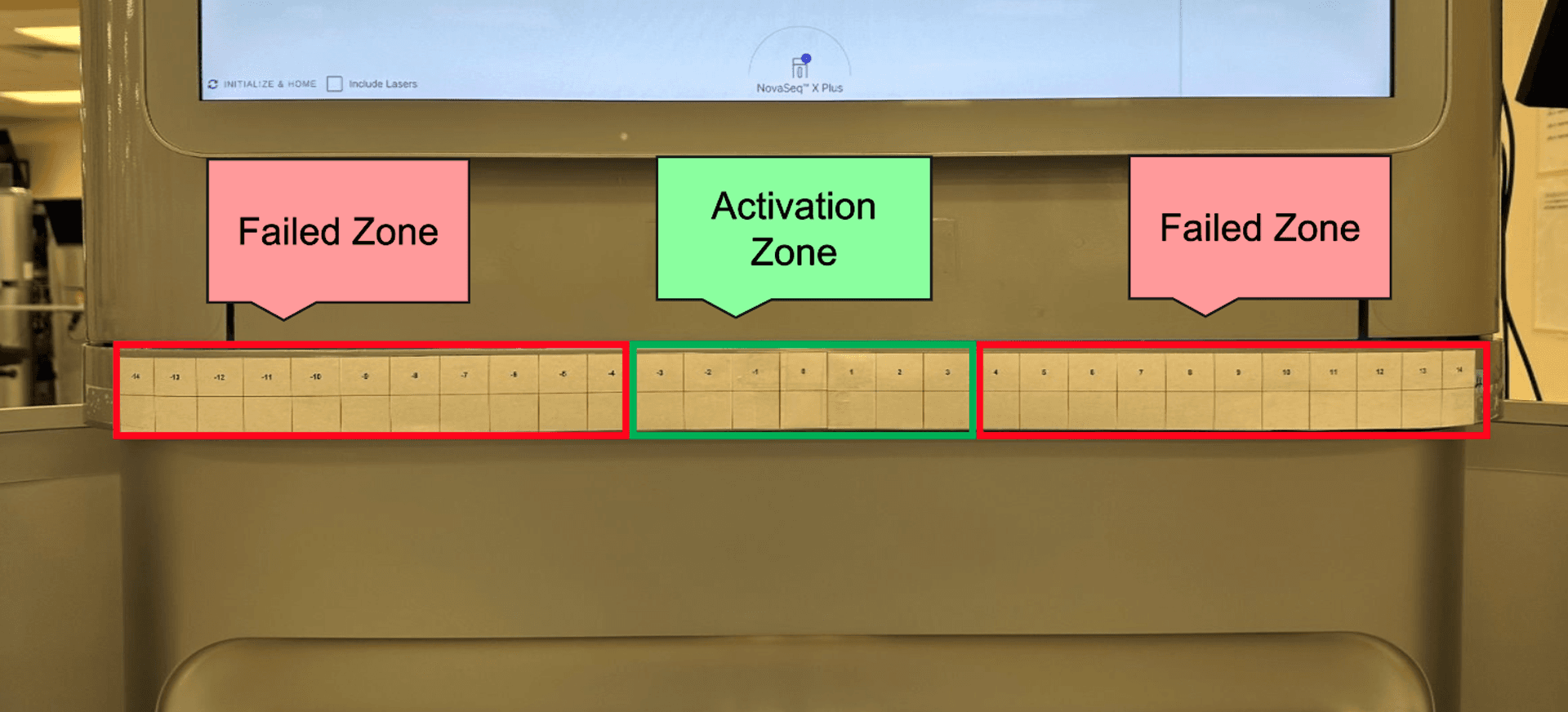
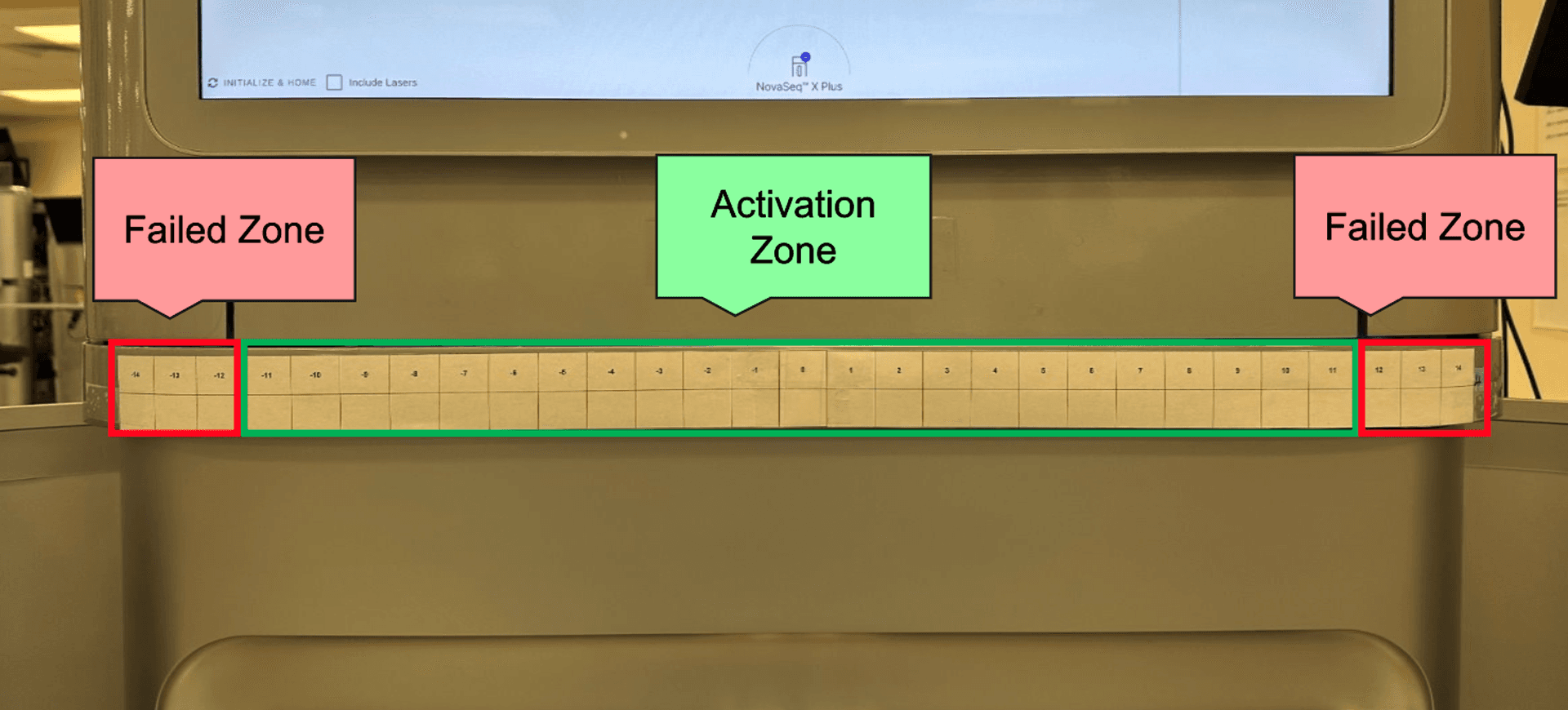
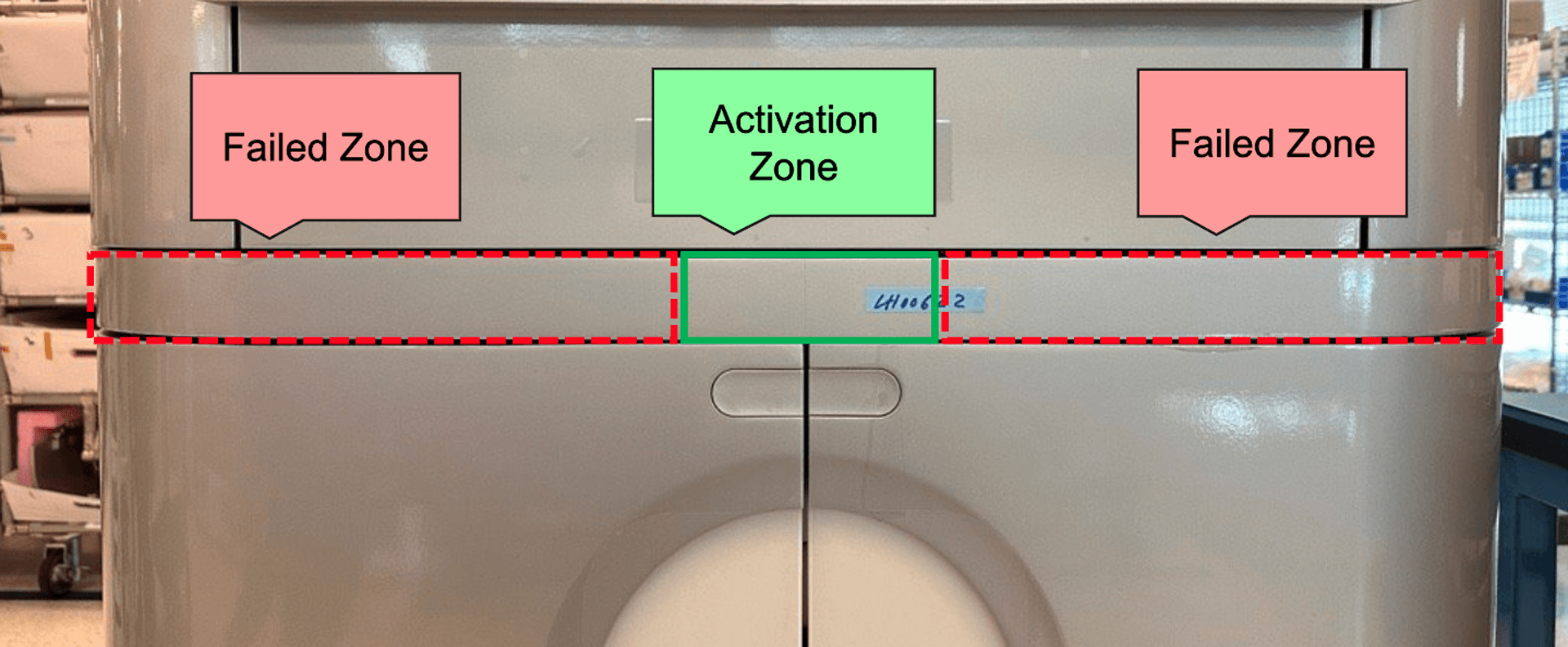
This means that the push zone is limited to the center of the keyboard tray as that provides the more evenly distributed force.
Redesign
Mounting Bracket
The mounting bracket was redesigned to increase the contact surface area with the magnetic push mechanism.
Push Mechanism Quantity Reduction
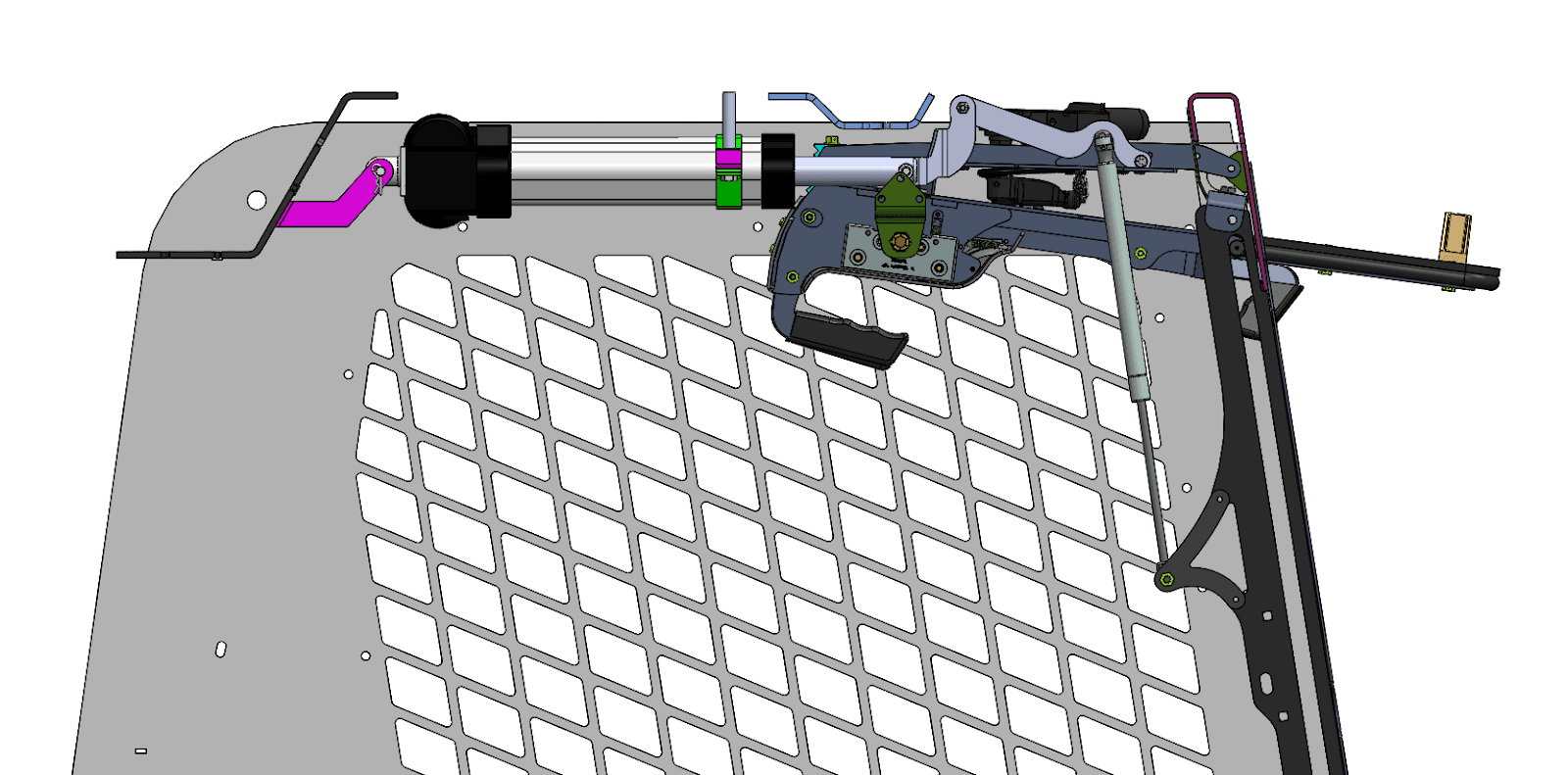
The number of push mechanisms was decreased from 3 to 1. This removes all sync issues and allows the singular push mechanism to act as a pivot point, even when force is applied off center.
Push Mechanism Change
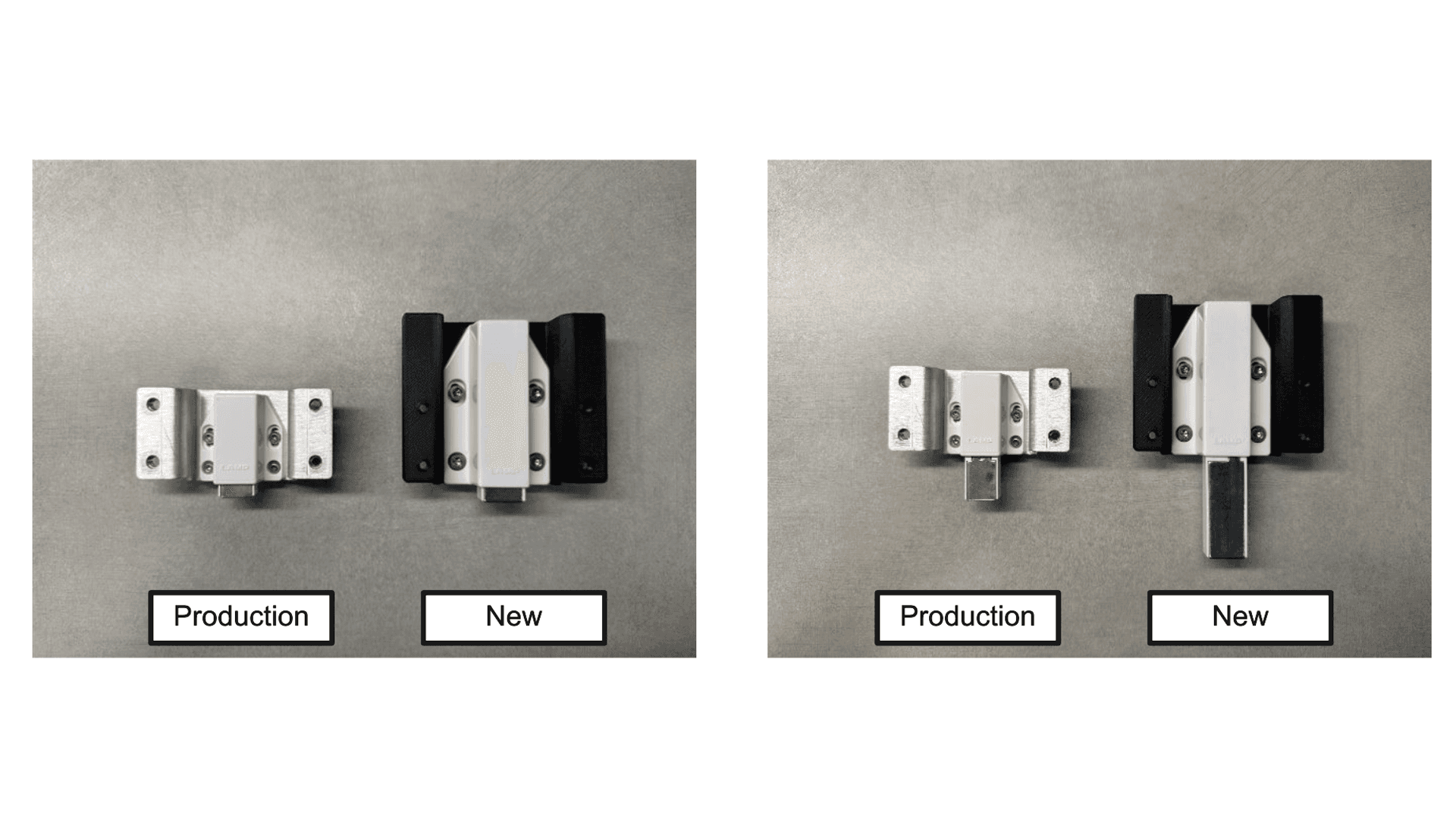
To compensate for the reduction in push mechanism, a larger one with a longer stroke length and activation force was used. This helps maintain the same push force required when interacting with the keyboard tray, making this change more seamless and invisible to the user.
Results
When tested against the previous design, these changes resulted in a 32% increase in the activation zone which allowed the user to reliably push on the keyboard tray not just in the middle but on the side as well.